
1. Where to find download information
Please visit https://www.quaray.com/homucam .
2. How to protect the phone and battery when using the app
HomuCam can operate continuously for days or even months. When using the app, the phone is often placed facing outdoors, which can cause it to overheat due to direct sunlight. Additionally, the app uses the phone’s camera, a significant power consumer. It is crucial to take the following measures to protect the phone and battery from overheating damage.
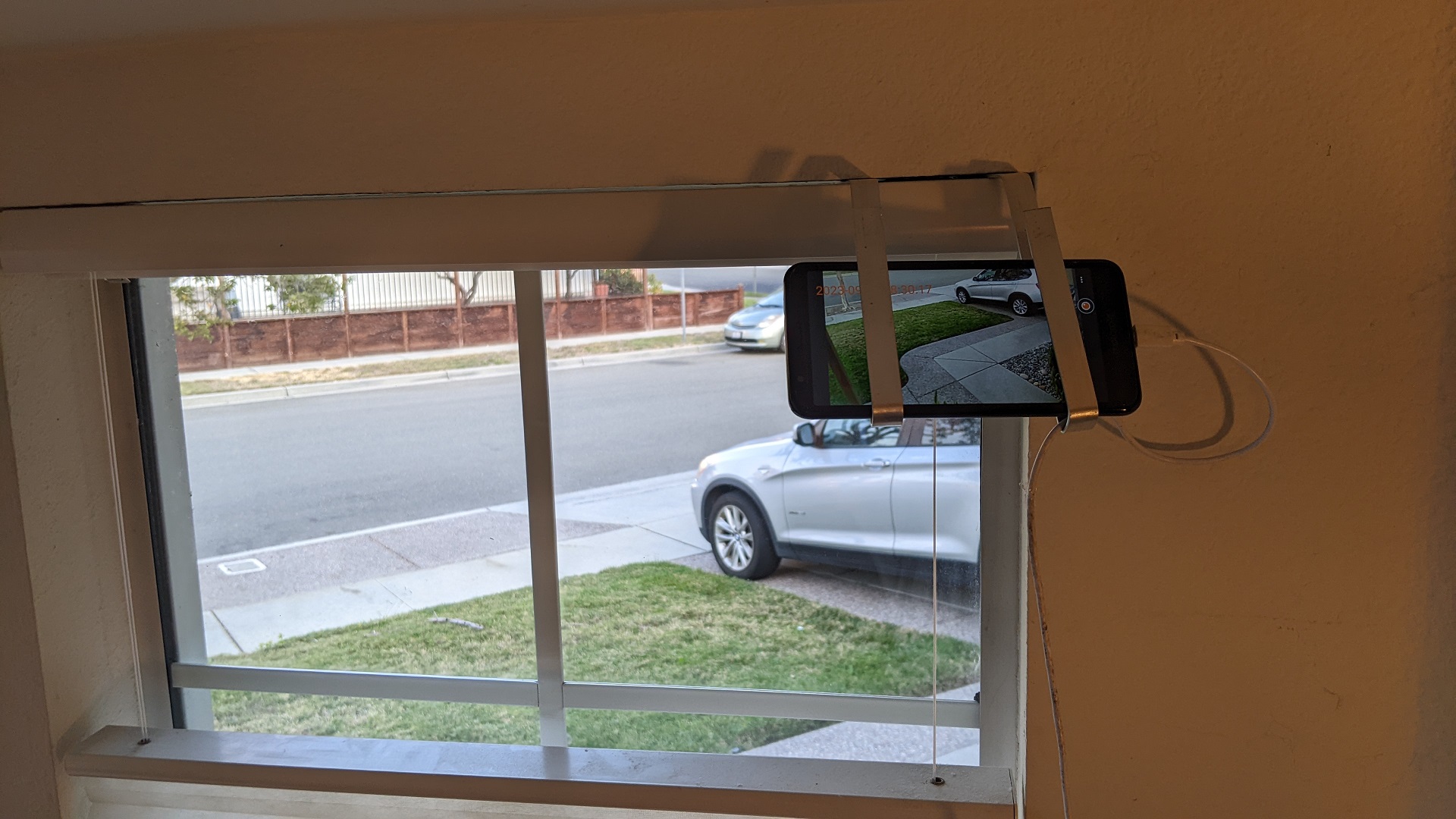

A): Avoid exposing the phone to direct sunlight. When putting the phone next to a window, place the phone where sunlight is blocked by curtains or walls.
B): Avoid letting the camera lens look into the sun, which helps protect the image sensor. One way is to position the phone in a way to reduce sky area in the camera view. Another way is place the phone at a high position, and let the camera face down a little bit, not look up.
C): Screen is a major power draining component and heat generating source. Set the screen brightness to a very low level, which helps protect both the battery and the screen. And it is better to turn off the feature of “Wake up screen when motion is detected”.
D): Some phone models consume much higher power when recording video. For those phones, it is recommended not to turn on the video recording feature if running the app continuously.
3. How to know battery level and phone temperature
When viewing HomuCam Live Images from a web browser, the second line displays four values: battery level, phone temperature, date, and time. For example, “100 28 2023-12-12 11:50:55” means the battery level is 100% and phone temperature is 28°C. When the temperature exceeds 43°C, the app will stop the camera and enter sleep mode.
4. How to power an Android phone without a battery
Although the phone is usually connected to a charger while running HomuCam, the battery still undergoes repeated charge/discharge cycles, which shortens its lifespan. In addition, battery overheating can also be a problem. To allow the HomuCam app to run continuously for an extended period, the best way is to power an Android phone without a battery. To address this, we offer Dummy Battery Kit for select Android phones.
5. How to create Gmail App Password for Email Notification
The Email Notification function of HomuCam sends notification emails using a user’s Gmail account. In order for the app to perform this function, a Gmail App Password is needed. When Google account 2-Step Verification is not enabled, the Google account password is Gmail App Password as well. However, when 2-Step Verification is enabled, a dedicated Gmail App Password is needed. To create a Gmail App Password, (1) open Google account page on a web browser, (2) login to a Google account, (3) click Security, (4) click 2-Step Verification, (5) move to the bottom and create a new App Password. Use this password as the Gmail App Password for Email Notification. This password can only be used one time. A new app password must be created for each additional device.
6. How to increase brightness and sharpness of pictures when environment is dark
A phone supporting high ISO can have better brightness and sharpness of a moving object in a relatively dark environment. A phone with the maximum ISO over 2000 is preferred.
7. What to do when HomuCam stopped working after updating system to Android 11
Android 11 changed the storage security system. As a result, the HomuCam app running on Android 11 is not able to access folders created by the app with earlier Android versions. To resolve the issue, old folders created by the app must be removed (or renamed). To do this, open “Files” app, in the “Internal storage”, “Pictures” and “Movies” folders can be seen. Delete or rename “HomuCam” folders under those two folders.
8. Any recommended models of Android phones ?
The camera is a major source of power drain on Android phones. When running the HomuCam for long time, the phone battery can degrade over time although the phone is always plugged into a charger. It is preferable to use an Android phone which uses a removable battery, so that the battery can be replaced when needed. When need to run the app continuously for an extended period, it is recommended to power the phone using a dummy battery.
Among the phones we have tested, Motorola Moto E6 and Samsung Galaxy XCover Pro are the best. They both use removable battery. Motorola Moto E6 costs less. On the other hand, the camera of Samsung Galaxy XCover Pro has a wider ISO range. These two models are both very stable to continuously run the app for many weeks or even months. In addition, we offer Dummy Battery for these two models.
Nokia 1.3 is another low-cost Android phone with removable battery. But it is not as stable as Motorola Moto E6 when running the HomuCam app for long time.
9. How to skip login page when using web browser to access
Login page can be skipped by using http://[ip address]:58765/?passcode=[passcode], instead of using http://[ip address]:58765. For example, if IP address is 192.168.1.20, and the passcode is 12345678, use http://192.168.1.20:58765/?passcode=12345678.
Not finding the answer to your questions?
Email us at info@quaray.com .